Node 11.2.1 Is Here: What Should Stake Pool Operators Check Before Upgrading?
A node upgrade can look finished long before a stake pool is ready to produce its next block. The service starts. The dashboard turns green. The tip advances. Meanwhile, a script may still call an incompatible client, an alert may have stopped reading the logs, or the service may be running the old executable you thought you replaced.
For a relay, those problems can disrupt connectivity and supporting services. For a block producer, they can cost a leadership opportunity that will not come back.
Cardano node 11.2.1 brings useful memory improvements and support for LSM block production, but operators upgrading from 11.1.x also cross configuration and integration changes introduced in 11.2.0. The preparation needs to cover that whole transition.
A successful upgrade means running an appropriate release with working configuration, compatible tools, valid producer credentials, observable performance, and a recovery path you can actually use. Starting the process is only the first check.
First check: is this release recommended for your network?
Status checked on November 19, 2026: node 11.2.1 has been published, but its release page still labels it a pre-release and says it is not yet recommended for Mainnet. The current stable-release listing continues to identify 11.1.3.
For a live Mainnet pool, that makes this a preparation and testing guide until the recommendation changes. Availability as a downloadable binary or container image does not establish production clearance.
Check the intended network, current release status, and applicable upgrade guidance immediately before deployment. Mainnet, Preview, Preprod, and specialized development networks can have different requirements. Do not take a configuration from one environment and assume it belongs on another.
Also separate a completed test or green approval entry from the release’s explicit deployment recommendation. If they appear inconsistent, resolve that uncertainty before scheduling a producer upgrade.
What makes 11.2.1 worth preparing for?
The maintenance release addresses temporary memory growth associated with ledger snapshots and unnecessary retention of some ledger data. It also improves snapshot behavior during synchronization, supports LSM for block production, and handles certain trace-output failures more robustly.
The advertised block-header protocol version becomes 11.3. That number is different from the software package version: it does not mean the executable is cardano-node 11.3 or that installing it activates the full Linear Leios rollout.
In controlled November testing against the 11.1.1 baseline, process resident memory fell by approximately 14% under the value-only workload and 8% under the Plutus workload. Those runs used InMemory, so these figures are not an LSM-versus-InMemory comparison. They are also not guaranteed savings for your server.
The operational opportunity is better resource headroom. Verify it with your own measurements before reducing RAM or changing your cloud plan.
Know which upgrade you are actually making
There is an important difference between moving from 11.2.0 to 11.2.1 and moving from 11.1.x—or something older—to 11.2.1.
The 11.2.1 maintenance release lists no additional operator-breaking changes of its own. It still inherits the 11.2.0 changes. If you skipped that release, those changes are new to your deployment.
Write down this inventory before touching the service:
| Item | What to record |
|---|---|
| Node | Running version, executable path, deployment method |
| Role | Producer, relay, or non-producing test node |
| Network | Intended network and configuration source |
| Storage | Backend, database paths, free space, recovery data |
| Clients | CLI, tracer, indexer, submit service, operational scripts |
| Credentials | Paths and validity checks, without exposing secret contents |
| Service | Startup command, account, working directory, environment files |
| Baseline | Tip lag, peers, memory pressure, CPU, disk behavior, recent errors |
This record is useful during both rollout and recovery. It also prevents the wrong node from being updated when one server hosts multiple services.
Check 1: the running executable, not just the installed file
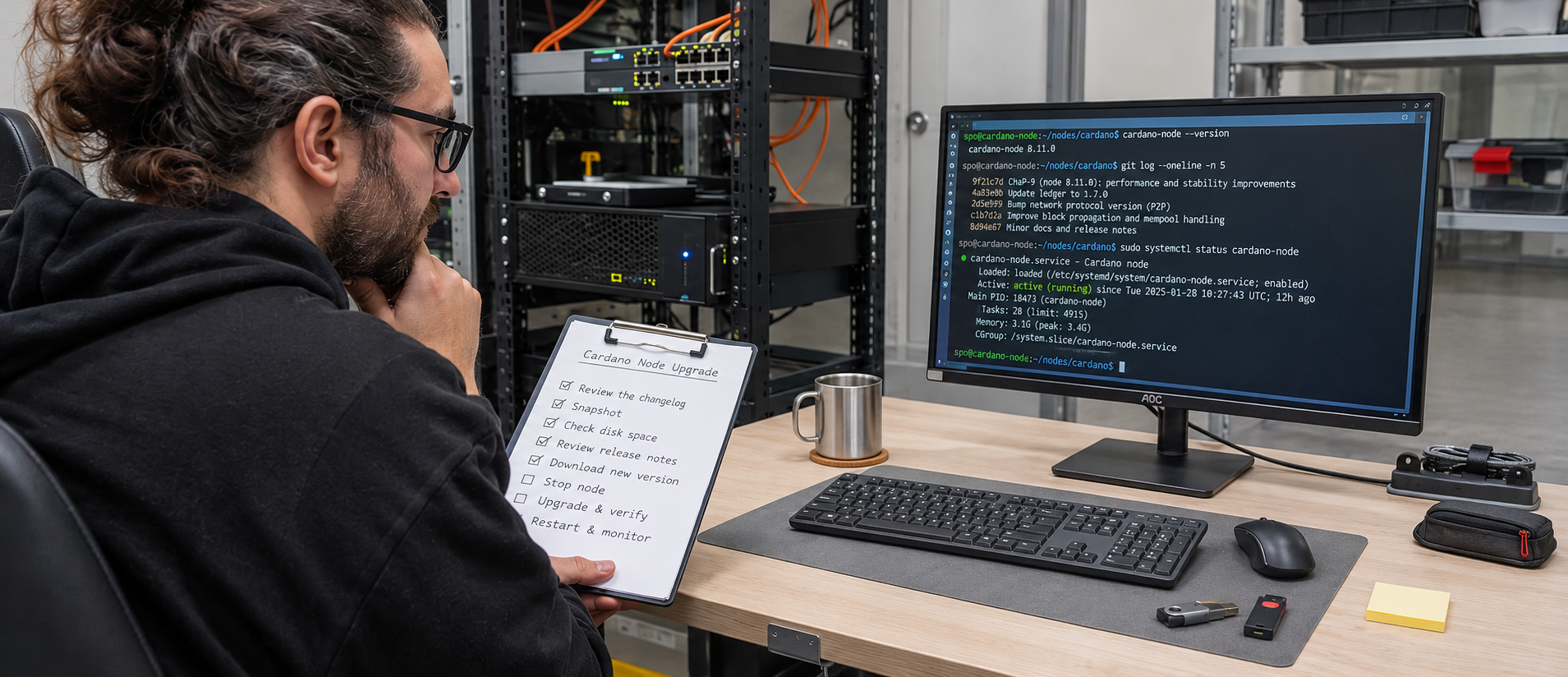
Running cardano-node --version checks whichever executable your shell finds. Your systemd unit might point to another path. A container might use another image. A process started before a file was replaced can continue running the older executable.
For an installation managed by a service named cardano-node.service, these Linux checks inspect the service without restarting it:
systemctl show cardano-node.service \
  -p MainPID -p ExecStart -p ActiveEnterTimestamp

cardano-node --version
cardano-cli --version
Use the actual service name for your deployment. Compare its configured executable with your intended installation path. You can inspect the process executable using its recorded PID, and confirm the launched version through startup diagnostics. For containers, check the running image digest rather than trusting a mutable tag alone.
Do this again after the eventual restart. “The new file exists” and “the service runs the new release” are separate facts.
Check 2: configuration format and effective values
The 11.2 series introduces a structured configuration envelope through cardano-config. Published network configurations use this newer format. Legacy flat files remain supported by 11.2.1, but a pre-11.2 node cannot simply read the new envelope.
That creates two decisions: which compatible file to use for the upgrade, and which file to retain for recovery.
Compare your current configuration with the version-appropriate network configuration. Preserve intentional settings for networking, tracing, sockets, storage, and paths. Avoid replacing a working local file without reviewing those differences.
The available configuration tools include:
| Tool | Purpose |
|---|---|
cardano-node config migrate | Convert supported older configuration forms |
cardano-node config schema | Inspect the configuration schema |
cardano-node config resolve | Resolve and check the configuration |
Use the target binary’s help for exact arguments. Work on a copy and review the result before using it with the service.
A file can be valid JSON and still contain the wrong network, an unintended path, or a setting that does not take effect where you placed it. Review the effective configuration and startup warnings, not only syntax validity.
Docker and NixOS need their own checks
Docker configuration overlays written for the old flat shape can fail to apply as intended against the new envelope. Review the resulting configuration inside the actual deployment rather than assuming a successful merge command preserved every override.
NixOS users should also review the change from the service option blsKeys to blsKey. These are integration-specific concerns; changing a Docker overlay does not solve a NixOS option mismatch, or vice versa.
Check 3: tools that connect to the node
The 11.2 series removes node-to-client protocol versions below NodeToClientV_23. A healthy node can therefore coexist with a client that no longer connects correctly.
Inventory the programs that use the local node socket or depend on its output. Include scheduled jobs and less frequently used maintenance scripts, not just your daily dashboard.
Test the operations you actually rely on: querying the tip and protocol parameters, inspecting pool state, checking KES information, and using the transaction workflows relevant to your setup. A successful version command does not prove those operations work.
Node and CLI version numbers do not need to match numerically. The release identifies cardano-cli 11.7 as part of its updated component set; validate the intended combination and command behavior rather than inventing a same-number rule.
If you maintain custom query consumers, review removed queries and their replacements as well as the connection protocol. A connection that succeeds can still be followed by a query failure.
Check 4: keys and producer readiness
A routine software upgrade should preserve the pool’s identity. It is not a reason to regenerate the cold key, replace the registered VRF identity, or re-register the pool.
Check that the producer’s startup command still points to the intended KES signing key, VRF signing key, and operational certificate, or to the supported credential service your deployment uses. Verify that permissions allow the service account to access them.
Confirm the operational certificate’s KES interval and the relevant certificate-counter relationship using compatible tooling. If credentials need maintenance, follow that separate procedure deliberately. Do not generate new certificates simply because an unfamiliar output looks different after upgrading.
Keep cold signing material in its protected offline or hardware-wallet workflow. Never add it to the online server “just in case” an upgrade needs it.
Finally, confirm the node actually starts in its intended producing role. A fully synchronized node without the correct forging credentials can look healthy while functioning only as a non-producing node.
Check 5: memory, storage, and the temptation to change everything
Take a baseline before installing the target release in a test environment. Compare process memory, available system memory, swap activity, CPU, storage latency, and chain-tip behavior.
Observe more than steady-state synchronization. Startup, catch-up, ledger snapshots, and overlapping backup jobs can expose pressure that a quiet dashboard misses.
If you also want to adopt LSM, make that a separately measured change where practical. Upgrading the executable, selecting another backend, shrinking RAM, and moving provider simultaneously makes troubleshooting unnecessarily difficult.
Keep adequate disk space for growth, logs, snapshots, and any transition-related data. Do not delete the recovery material you are about to need merely to make room for the new binary.
Check 6: the services and promises surrounding your pool
Pool operation often extends beyond the producer. Your website may show pool statistics. A portal may calculate token incentives. A monitoring service may feed a public status page. These systems can fail independently of the node.
Check data freshness and error handling for any service that consumes chain information during maintenance. A stale dashboard should not silently present old figures as live.
If you are evaluating extra delegator incentives alongside ordinary ADA rewards, the Blockiy Airdrop Calculator | NIGHT, SNEK & HOSKY helps explore projected token amounts. Keep those program estimates separate from protocol staking rewards, and check current eligibility and distribution terms.
An infrastructure upgrade does not guarantee bonus-token payments or increase native reward rates. Communicate separately about maintenance status, ADA reward performance, and any promotional program you operate.
Check 7: logs, metrics, alerts, and exposed interfaces
The 11.2 release family changes tracing details. An alert parser that searches for an old event name or assumes an old field format can become ineffective even while logs continue to arrive.
Check both directions of the monitoring chain: is the node emitting useful events, and are your collectors, dashboards, and alerts interpreting them correctly?
Useful post-upgrade observations include:
- Whether the chain tip continues advancing.
- Whether expected peer connections are established.
- Whether memory, CPU, and disk behavior remain acceptable.
- Whether KES and producer-health information is still visible.
- Whether restart loops or repeated validation and I/O errors appear.
For the same example systemd deployment, recent service logs can be inspected without changing the service:
journalctl -u cardano-node.service --since "30 minutes ago" --no-pagerReview before sharing output publicly; startup arguments and diagnostics can reveal deployment details.
Also check listening interfaces. The 11.2 series extends gRPC to TCP with plaintext or TLS options. An upgrade is not a reason to expose an administrative or data interface publicly. Confirm the bind address, firewall rules, and intended clients if you enable it.
Plan the rollout before the maintenance window
Rehearse on a separate node
Use a suitable test environment with the intended release and configuration. Confirm startup, client connectivity, monitoring, restart behavior, and recovery. Testnet work helps reveal configuration problems, but it does not reproduce every aspect of Mainnet load or ledger state.
Where an approved production rollout is appropriate and your architecture has multiple relays, update a suitable relay first and observe it before changing the producer. Keep enough working connectivity throughout the process.
If you have only one node, account explicitly for its downtime and recovery time. There is no spare capacity to assume will cover the maintenance.
Choose timing around operational requirements
Use your private leadership information, where available, to avoid planned production opportunities. Allow time for a clean stop, restart, catch-up, validation, and recovery if needed.
Do not publish future leadership slots as proof of readiness. Do not restart during an important operation because a generic guide says the command should take only a minute.
Stop cleanly and verify the outcome
Once deployment is authorized and appropriate for the network, follow your service manager’s supported stop and start procedure. Confirm the old process has exited before launching its replacement.
If moving between hosts, prevent both machines from actively producing with the same pool credentials. A synchronized standby is useful; uncontrolled duplicate production is not a maintenance strategy.
After startup, verify the running executable, effective configuration, network, backend, credentials, client access, and observable chain progress. Record the completion time and any deviations from the baseline.
What should trigger recovery?
Decide this before the upgrade, while you still have time to think clearly.
| Symptom | First area to investigate |
|---|---|
| Repeated startup failure | Configuration, paths, permissions, runtime dependencies |
| Node runs but tip stops advancing | Network selection, peers, validation errors, storage |
| Node works but CLI or indexer fails | Socket access, client compatibility, query changes |
| Memory pressure or repeated termination | Resource limits, workload, backend, host processes |
| Monitoring becomes blank | Tracer connection, configuration, event and metric changes |
| Producer role or credentials are wrong | Startup arguments, key paths, certificate validity |
A problem that you can identify and fix within a safe window may not require rollback. Repeated failures without a clear explanation are a reason to restore a known-good supported deployment rather than improvise on the producer.
Recovery needs a matching set of files
Keep the previous executable, compatible configuration, service definition, and usable recovery data together. Retaining an old binary is insufficient if you overwrite the only configuration it can read.
Do not assume a previous release understands databases or snapshots modified by a newer one. Verify the supported recovery path in advance and preserve a consistent recovery point when necessary.
Avoid using the same live database concurrently from two node processes. Do not delete database directories as a first response to an unfamiliar startup error.
A practical go-or-no-go checklist
Before a production upgrade, you should be able to answer yes to each applicable item:
| Question | Ready? |
|---|---|
| Is the target release recommended for this network and role? | Yes / No |
| Have I reviewed every relevant change from my starting version? | Yes / No |
| Do I know which executable and configuration the service actually uses? | Yes / No |
| Have connected clients and operational scripts been checked? | Yes / No |
| Are producer credentials valid and accessible to the service account? | Yes / No |
| Have I observed the test deployment beyond initial startup? | Yes / No |
| Do metrics and alerts still work? | Yes / No |
| Is there sufficient resource headroom and free storage? | Yes / No |
| Have I allowed for scheduled production and recovery time? | Yes / No |
| Can I restore a compatible known-good deployment? | Yes / No |
An unanswered compatibility question is a task to finish before the maintenance window, not a detail to discover during it.
Frequently asked questions
Does 11.2.1 automatically activate Dijkstra or Linear Leios on Mainnet?
No. Installing software and activating a network upgrade are different events. Follow the network’s actual upgrade process and feature guidance.
Do I need new pool keys because the node version changed?
Not for a routine software update. Preserve your pool identity and treat any separately required credential or registration change as its own documented operation.
Is a 100% sync indicator enough to confirm success?
No. Check advancing tip, intended node role, credentials, peer behavior, connected clients, and monitoring. A rounded percentage can hide a stalled tip, and synchronization alone does not prove forging readiness.
Should I reduce server RAM immediately after upgrading?
Measure first. A quieter memory graph does not prove that startup, recovery, or peak workloads will fit safely in a smaller allocation.
What if my small pool produces no block after the upgrade?
Check actual assigned opportunities and operational evidence. A small pool may receive none during a short observation period. No recent block, by itself, does not establish an upgrade failure.
Upgrade with evidence you can check
Node 11.2.1 offers useful improvements, but the production decision starts with release readiness. From there, verify configuration, clients, producer credentials, monitoring, resources, and recovery as one complete operating system.
The strongest completion report is specific: the intended binary is running, the node follows the correct chain, the producer is properly configured, tools and alerts work, and recovery remains possible. That gives an operator a much firmer foundation than a green service indicator alone.