How to Safely Redeem NIGHT Tokens: Complete Wallet and Thawing Guide
The Midnight NIGHT distribution works differently from a conventional airdrop. Eligible users do not necessarily receive their complete allocation immediately. Tokens become redeemable according to an assigned thawing schedule, generally in four separate portions.
This guide explains the entire process: how eligibility differs from redemption, how to read the thawing schedule, how to select a destination wallet, what to verify before signing and how to respond to common errors.
Security rule: The official process should never require you to type a recovery phrase or private key into a website. A wallet can prove address control through a connection and signature without exposing its secret recovery credentials.
What Is NIGHT?
NIGHT is a transferable token associated with Midnight, a blockchain network designed for programmable data protection and privacy-aware applications. Midnight uses zero-knowledge technology to let applications prove that requirements have been satisfied without making all underlying data public.
NIGHT and DUST are separate parts of Midnight's economic design. NIGHT is associated with network utility and governance, while DUST is connected to transaction processing in Midnight's resource model. The names should not be treated as interchangeable.
What Was the Glacier Drop?
Glacier Drop was Midnight's token distribution for eligible participants across several blockchain ecosystems. Cardano users were an important part of the distribution, but eligibility also extended to supported addresses on other networks under published rules.
The system verifies control of an eligible address and records where the corresponding NIGHT allocation should be delivered. Users should not need to send a large ADA payment to unlock an allocation.
Claiming, Redeeming and Thawing
Claim or registration
This stage proves eligibility and records the required delivery information.
Redemption
This processes a portion of NIGHT that has already reached its scheduled unlock date.
Thawing
This is the gradual release schedule through which frozen portions become redeemable over time.
A wallet can have a valid total allocation while showing zero NIGHT redeemable today. That usually means the next scheduled thaw has not yet arrived.
How the Four-Stage Thawing Schedule Works
Midnight's published guide describes allocations becoming available in four portions of 25 percent. The exact starting date depends on the schedule assigned to each participant.
| Stage | Typical portion | What it means |
|---|---|---|
| First thaw | 25% | The first assigned portion becomes redeemable. |
| Second thaw | 25% | The next portion generally follows about 90 days later. |
| Third thaw | 25% | Another quarter becomes available on its assigned date. |
| Fourth thaw | 25% | The final scheduled portion becomes redeemable. |
If an address has a 20,000 NIGHT allocation, one scheduled stage may make approximately 5,000 NIGHT redeemable. The remaining 15,000 NIGHT has not disappeared; it remains assigned to future thaws.
Why Does Midnight Release NIGHT Gradually?
- To avoid making the full distributed supply transferable at once.
- To create a predictable release structure.
- To encourage participation beyond the initial distribution event.
- To give infrastructure, wallets and markets time to develop.
- To reduce abrupt supply shocks caused by simultaneous unlocking.
Thawing is not the same as staking. A frozen allocation is waiting for a release date; it should not automatically be assumed to generate a staking return.
What You Need Before Starting
- Access to the wallet controlling the eligible address.
- A secure destination wallet supported by the redemption system.
- The official Midnight website and redemption portal.
- An updated browser and official wallet extension.
- Time to verify addresses and signing requests carefully.
You should not need a recovery phrase prepared for entry, remote-control software or assistance from a person who contacted you privately.
Step 1: Open the Official Portal Safely
Navigate through Midnight's official website. Avoid beginning from sponsored search advertisements, social-media replies, Telegram messages or unsolicited emails.
Inspect the complete domain. A phishing website may copy the official page while changing only one character in the address. Once verified, bookmark the official page for later thaws.
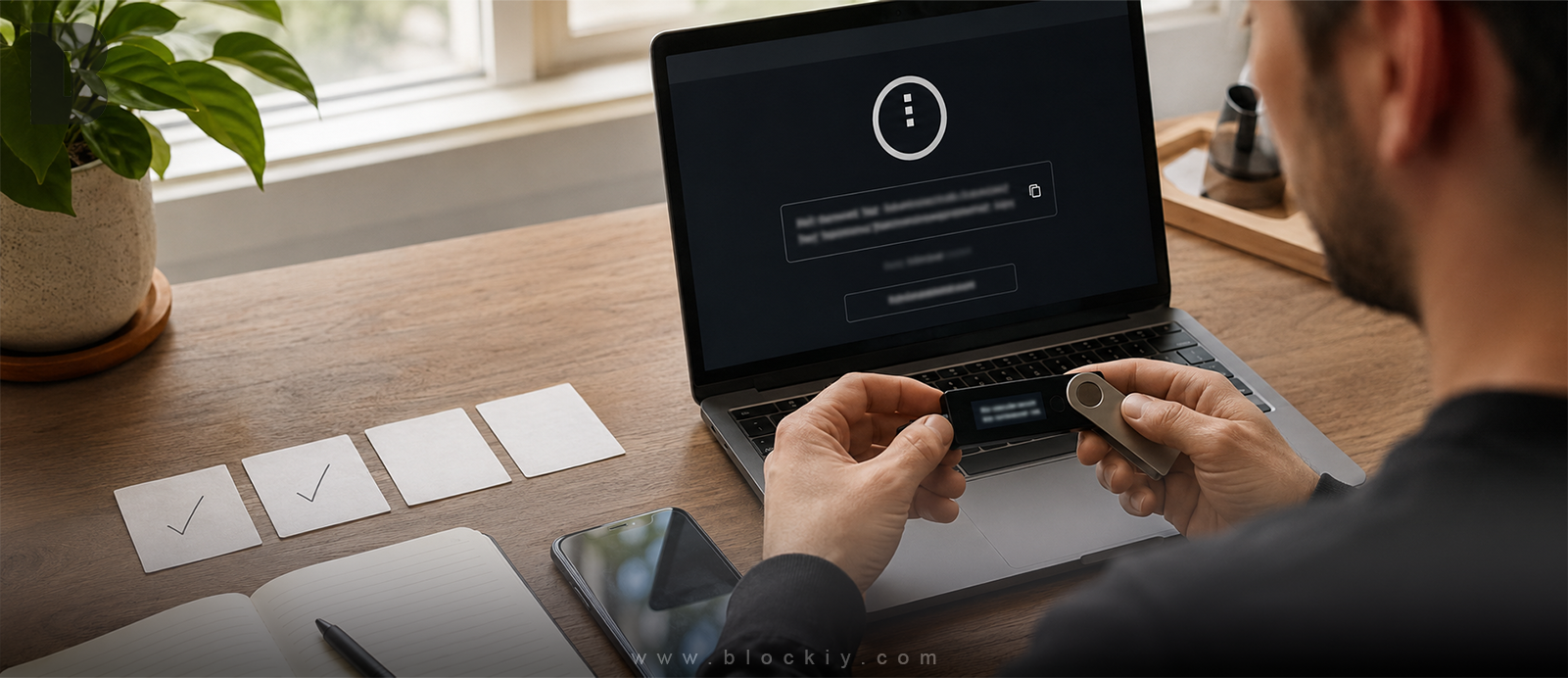
Step 2: Review the Eligible Wallet's Security
Before connecting, determine how the recovery phrase was created and where it has been used.
- Was it generated inside a hardware wallet?
- Was it generated by a software wallet?
- Has it ever been typed into a website?
- Was it stored in email, cloud notes or a screenshot?
- Does the address show an unauthorized transaction?
- Was the same phrase imported into several applications?
If unauthorized transactions have occurred or the phrase was entered on a suspicious website, treat the wallet as compromised. Changing its spending password does not invalidate a stolen recovery phrase.
Step 3: Distinguish the Eligibility and Destination Wallets
The eligibility wallet proves that you qualify for an allocation. The destination wallet receives NIGHT. Depending on the portal's supported process, they may use different networks or address formats.
Never paste a Cardano address into a field that requires a Midnight address, or the reverse. Confirm the network label and supported wallet before proceeding.
Do not use an exchange deposit address unless that exchange explicitly confirms NIGHT support on the exact network requested by the portal. Unsupported deposits may be difficult or impossible to recover.
Step 4: Connect the Eligible Wallet
Use the portal's wallet connection interface. A normal connection may allow the application to read a public address, check eligibility and request a relevant signature. It should not expose the recovery phrase.
Review the domain shown in the wallet popup and the permissions requested. A familiar wallet popup does not prove the underlying website is legitimate.
Step 5: Read the Allocation Dashboard
| Displayed field | Meaning |
|---|---|
| Total allocation | The complete amount assigned to the eligible address. |
| Redeemed | The amount already processed in earlier stages. |
| Redeemable now | The currently thawed amount available for redemption. |
| Frozen or remaining | The allocation assigned to future stages. |
| Next thaw | The expected date of the next release. |
Record the next thaw date and check whether the portal shows time in UTC. Time-zone differences can make an unlock appear one calendar day earlier or later locally.
Step 6: Verify the Destination Address
- Copy the address directly from the intended destination wallet.
- Confirm that the wallet is on the correct network.
- Paste the address into the official portal.
- Compare several characters at both the beginning and the end.
- Confirm that no spaces or unexpected characters were added.
- Recheck the address immediately before signing.
Clipboard malware can replace a copied cryptocurrency address. Checking only the first character is not enough.
Step 7: Review the Signature or Transaction
Inspect the connected account, requesting website, destination, network fee and any assets shown as leaving the wallet. Reject the request if it includes unrelated ADA or native-token transfers you did not expect.
A signature can authorize a real action. The word “sign” should never be interpreted as automatically harmless.
Step 8: Save the Redemption Record
- Transaction ID or confirmation reference.
- Date and time of redemption.
- Amount redeemed.
- Destination address.
- Next thaw date.
- A safe screenshot that contains no secret credentials.
Use an appropriate explorer to verify the transaction independently. Wallet interfaces may need time to update, so do not repeat a redemption simply because a balance is not immediately visible.
Protect Your ADA Beyond Token Redemption
Wallet security protects ownership of your assets. Choosing an actively maintained stake pool supports reliable participation and helps preserve Cardano's decentralization.
Blockiy reviews public pool information and activity so users can discover verified staking pools without relying only on promotional claims.
Compare Verified Cardano Stake PoolsHow to Confirm a Successful Redemption
- Confirm that the portal marks the portion as processed.
- Save the transaction ID.
- Verify the transaction through a compatible explorer.
- Open the correct destination account and network.
- Confirm the redeemed amount.
- Check that the remaining allocation and next thaw are accurate.
Common Error: NoRedeemableThaws
This message generally means the backend does not recognize an unlocked portion available at that moment. Possible causes include a future thaw date, an already processed portion, a pending transaction, stale session data or a temporary difference between the portal interface and backend.
Disconnect the wallet, reopen the official portal, confirm the time zone, reconnect the correct account and review transaction history. Never use a recovery phrase to troubleshoot this error.
Common Error: HTTP 400
An HTTP 400 response means the server rejected the request as invalid for its current state. This can occur when no thaw is available, a session is outdated, a previous attempt changed the redemption status or transaction construction failed.
Repeatedly submitting the same request may not help. Record the error and allocation status before consulting official Midnight support resources.
Common Error: Wallet Will Not Connect
- Confirm that the wallet is officially supported.
- Update it from the official extension store or provider website.
- Disable duplicate wallet extensions temporarily.
- Verify that the correct account is active.
- Check whether browser privacy settings block the connection.
- Never install a “special NIGHT update” received through a message.
NIGHT Does Not Appear After Redemption
Check the transaction before assuming it failed. Confirm the destination account, selected network, token visibility settings and transaction status. A wallet may hold the asset even when its interface has not refreshed the token list.
Do not import a recovery phrase into random wallets merely to make a token appear.
Security Lessons from the SecondFi Incident
Wallet generated by affected software
This may carry a greater risk if the key-generation process itself produced vulnerable credentials.
Existing phrase imported into an application
The risk depends on how credentials were handled. Users should consult verified technical findings rather than make assumptions.
Hardware wallet used through an interface
A hardware wallet normally keeps private keys inside the device, but it cannot prevent a user from approving a malicious transaction. Always verify details on the device screen.
How to Recognize a Fake Redemption Portal
- It claims the allocation expires within minutes.
- It promises to unlock all frozen NIGHT immediately.
- It asks for a recovery phrase or private key.
- It requires a large ADA “verification payment.”
- It offers a larger allocation after wallet connection.
- It asks users to install remote-control software.
- Its support team contacts users first through private messages.
- Its domain differs slightly from Midnight's official domain.
If You Already Shared a Recovery Phrase
Assume the phrase is compromised. From a clean device, create a new wallet with a completely new phrase, store it securely offline and move remaining assets according to verified security guidance.
Moving funds to another account derived from the same phrase does not solve the problem. The new destination must use new cryptographic keys.
Important Redemption Dates
Midnight's published guide states that the 360-day thawing period began on December 10, 2025 and is scheduled to end on December 4, 2026. A 90-day grace period follows for final claims.
Always confirm dates against the current official documentation and use the schedule shown for your individual allocation.
Complete Safety Checklist
Before redemption
- Use Midnight's official website.
- Review the eligible wallet's security history.
- Prepare a supported destination wallet.
- Update software through official sources.
During redemption
- Verify the complete destination address.
- Confirm the correct network.
- Read every signing request.
- Reject unexpected transfers.
- Never enter a recovery phrase.
After redemption
- Save the transaction ID.
- Verify the transaction independently.
- Confirm the received amount.
- Record the next thaw date.
- Keep recovery credentials offline.
Frequently Asked Questions
Do I need to send ADA to receive NIGHT?
A normal redemption should not require a large transfer to a third party. Relevant network fees may apply, but a demand to send ADA to unlock the allocation is a warning sign.
Can I redeem everything at once?
Usually not. NIGHT becomes available according to the assigned thawing schedule, generally in four portions.
Why is only 25 percent available?
The remaining portions have future thaw dates and remain part of the allocation.
Can support recover my seed phrase?
No. A non-custodial recovery phrase cannot be recovered by Midnight, Cardano, Blockiy or a wallet support representative.
Should I give support my phrase to fix an error?
Never. Support may ask for public details such as a transaction ID, but it should not request a recovery phrase or private key.
Can I redeem directly to an exchange?
Only if the exchange explicitly supports NIGHT deposits on the correct network and provides a compatible address.
Was the Cardano blockchain hacked?
No. The security concern that caused the temporary pause related to certain wallet software, not Cardano's consensus protocol.
Final Conclusion
Safe NIGHT redemption requires understanding the difference between total allocation and currently thawed tokens, protecting wallet credentials, verifying the destination network and carefully reviewing every signature.
Use only official links, never reveal a recovery phrase, verify the full destination address and do not sign an action you cannot clearly understand.
Procedures and dates may change. Confirm current information through Midnight's official documentation before completing each redemption.